Adzbyte
WordPress Platform EngineeringPlatform EngineeringPlugin DevelopmentWordPress

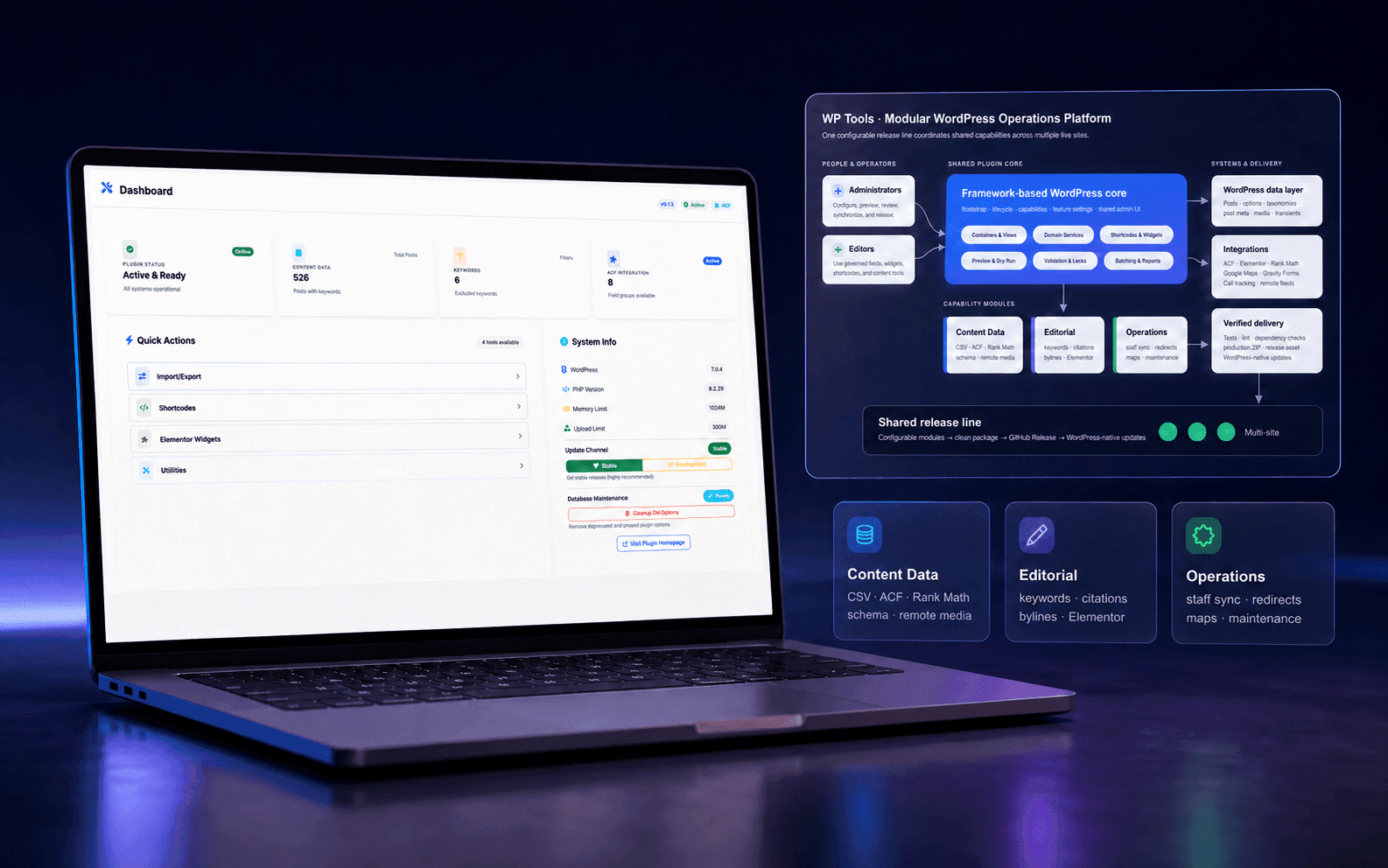
One maintainable platform for evolving WordPress sites

WP Tools

I consolidated recurring functionality into a modular plugin with guarded data workflows, reusable editorial tools, and a repeatable release pipeline.

Role

Lead WordPress Plugin Developer and Maintainer

Timeline

June 2025–present

Status

Active and in production

Client

Multi-site organization

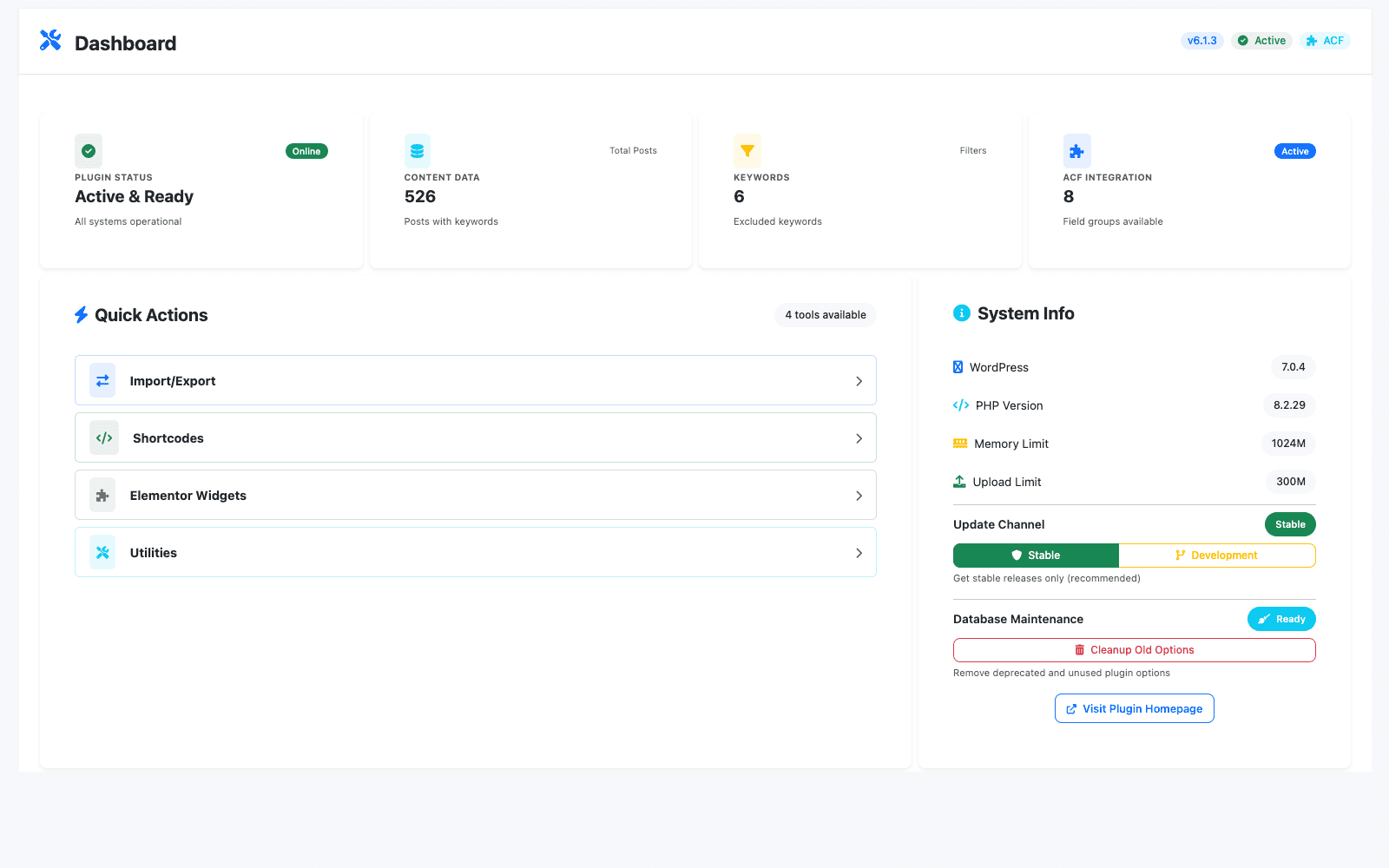
WP Tools WordPress dashboard with system status cards and quick links to shared site-management workflows.

01 / The problem

A workflow that needed stronger engineering boundaries

Ongoing requests across multiple WordPress sites created a growing maintenance surface: dynamic content rules, editorial attribution, structured data, location discovery, bulk content operations, redirects, and site-specific utilities all needed to evolve without becoming a collection of fragile snippets or duplicated plugins.

  • Duplicated fixes and inconsistent behavior between sites
  • Operational risk from bulk database and content changes
  • Tight coupling between one-off features and WordPress templates
  • Difficult deployments and update drift across live sites
  • Editorial workflows dependent on technical intervention
  • Third-party integration changes affecting multiple features

02 / The approach

Design the workflow around explicit invariants

Build a modular plugin platform around a reusable MVC-style WordPress framework, then move recurring site functionality into explicit controllers, services, views, shortcodes, widgets, and embedded add-ons. Expose operations through a consistent admin interface, store feature switches in WordPress options, and ship verified release packages through WordPress's native update experience.

  • One maintainable platform: Shared framework, bootstrap, configuration, capabilities, UI patterns, asset pipeline, and release process.
  • Feature-level modularity: Administrators can enable or disable shortcodes, Elementor widgets, and utilities without maintaining site forks.
  • Guarded operations: Preview, dry-run, batch, validation, locking, idempotency, and exportable diagnostics reduce the risk of large changes.
  • Editorial self-service: Admin tools and reusable widgets turn recurring developer requests into configurable workflows.

03 / Architecture

MVC-style modular WordPress plugin with service-oriented business logic

The implementation separates WordPress integration points from the domain services and operational controls that carry the workflow.

  • Bootstrap and lifecycle hooks
  • Admin and feature controllers
  • Domain services and support registries
  • PHP views with shared layout
  • Shortcodes and Elementor widgets
  • Embedded bylines and maps add-ons
  • Build, verification, and release tooling

04 / System surface

Capabilities organized around the operator journey

The case study focuses on the verified engineering surface rather than unmeasured business claims.

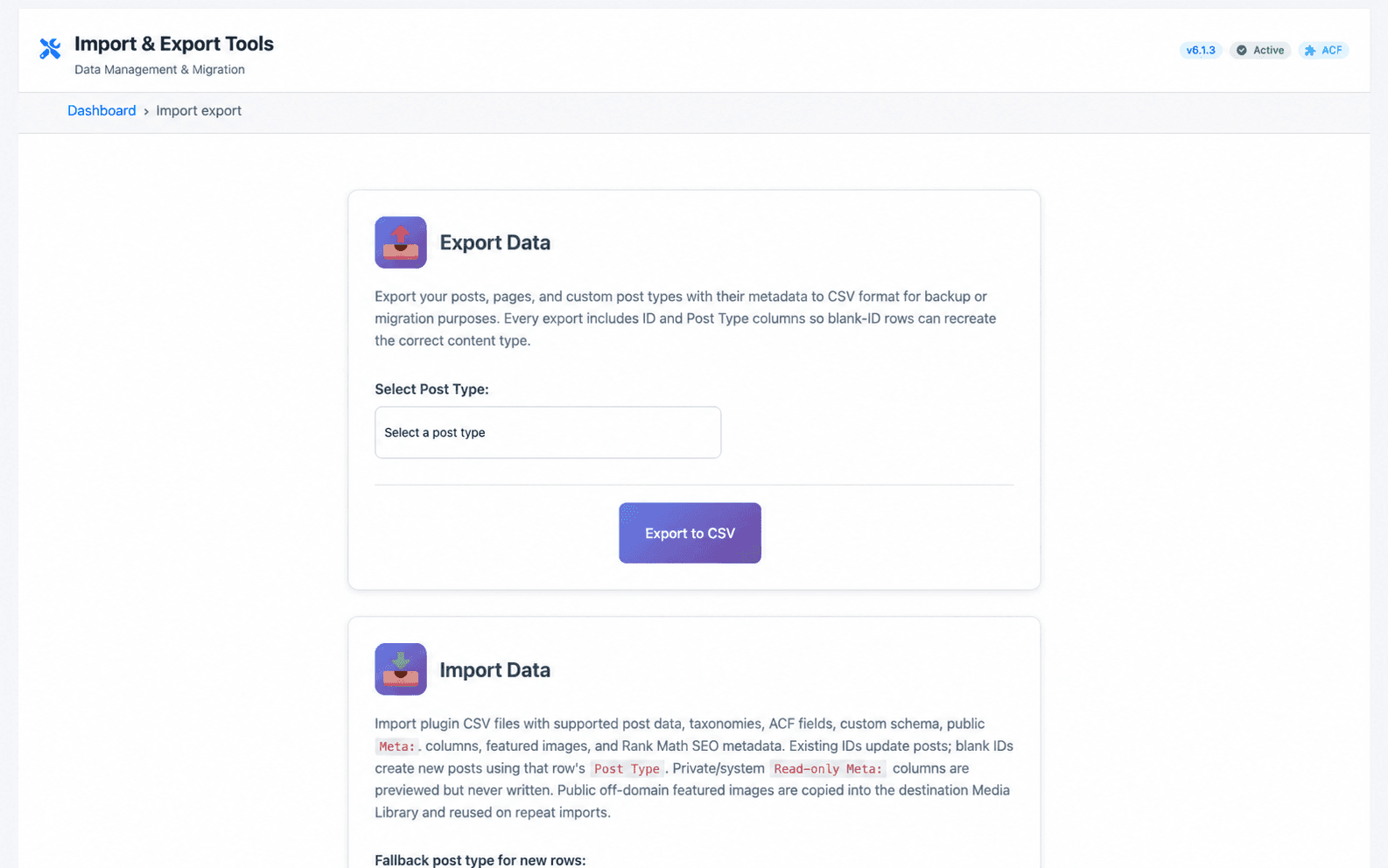
  • Content data operations: Batch-aware CSV import and export for core post fields, mixed post types, taxonomies, ACF fields, custom schema, public metadata, and Rank Math fields
  • Content data operations: Remote featured-image imports with source provenance and duplicate reuse
  • Dynamic content and keyword governance: ACF keyword helpers and cookie-backed context
  • Dynamic content and keyword governance: Dynamic Keyword Value rendering with filtering and transformations
  • Editorial trust and structured content: Author, editor, reviewer, and staff presentation workflows
  • Editorial trust and structured content: Rank Math JSON-LD extensions and custom schema merging
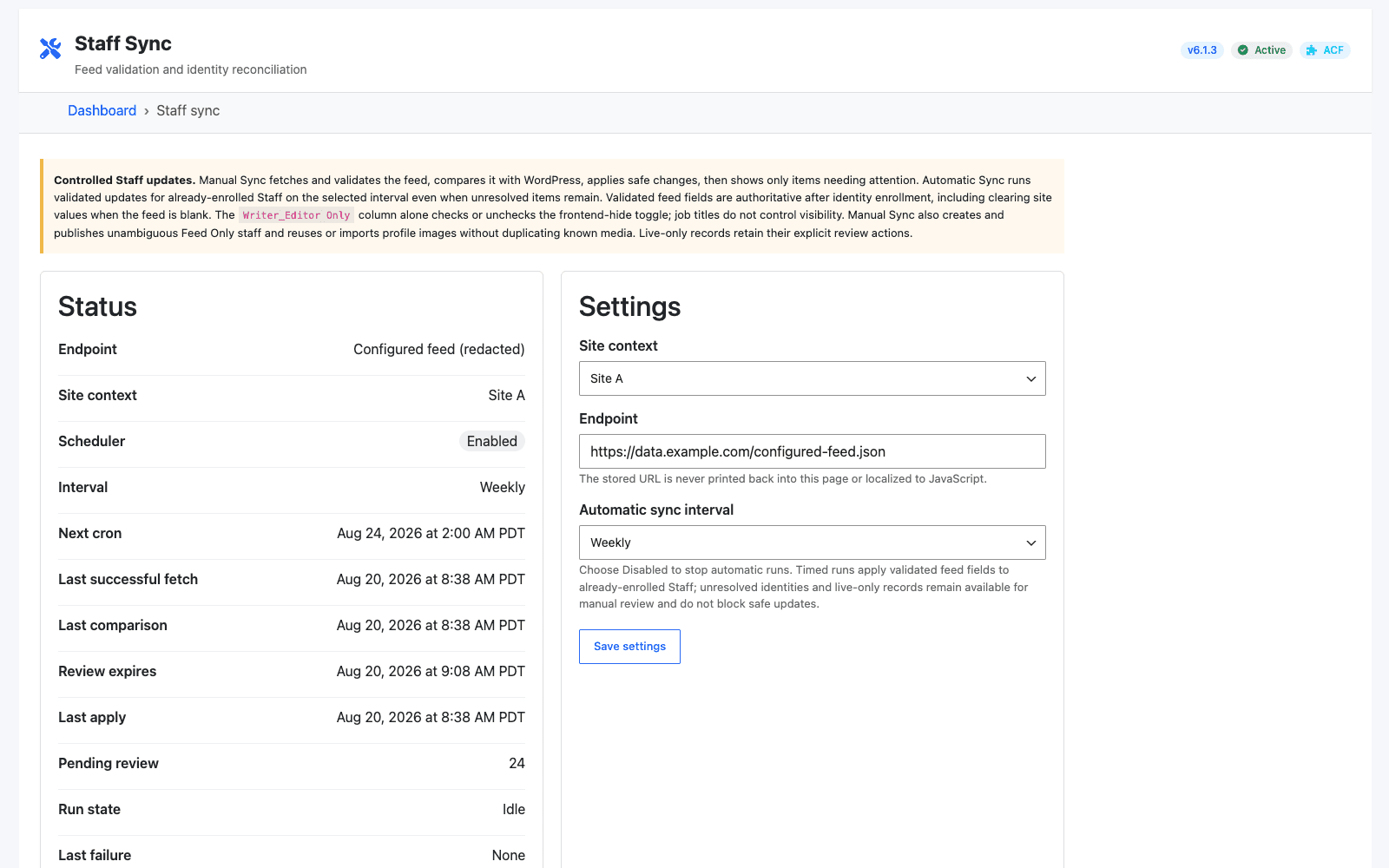
  • Staff synchronization: Controlled remote-feed preview, validation, normalization, identity resolution, diffing, and review
  • Staff synchronization: Manual enrollment and creation workflows with bounded automatic updates
  • Location discovery: Google Maps and filter Elementor widgets with cross-widget communication
  • Location discovery: Location, audience, program, condition, and accommodation filtering

05 / Engineering decisions

Tradeoffs made explicit

The design choices below address compatibility, identity, safety, and maintainability constraints found in the audited implementation.

  • Consolidate standalone functionality into one plugin with embedded add-ons: Reduced duplicated deployment and maintenance work while retaining clear boundaries around complex byline and map domains.
  • Use configurable registries and feature switches: Allowed one release line to serve multiple sites without long-lived forks.
  • Separate controllers from domain services: Kept WordPress/AJAX concerns out of CSV, validation, diff, synchronization, and rendering logic, making the code easier to test and extend.
  • Treat destructive workflows as operator-reviewed pipelines: Preview, dry-run, batching, locks, hashes, warnings, and exports made large data changes observable and recoverable.
  • Distribute through GitHub Releases and WordPress updates: Created a repeatable update path across live installations without manual file replacement.
  • Define interoperability contracts for complex CSV data: Preserved structured content, schema, media, Rank Math metadata, and mixed post types across export/import round trips.

06 / Verified outcome

A defensible result grounded in inspected evidence

Repository and interface evidence establish the engineering outcome. Production volume, time savings, and business impact remain unclaimed unless separately confirmed.

  • The codebase progressed from its first commit on 2025-06-18 to release v6.1.3 on 2026-08-21.
  • The v6.1.3 history contains 330 commits, all attributed to Adrian T. Saycon.
  • The release contains 191 PHP files, 28 JavaScript files, 16 CSS files, and approximately 44,209 lines of PHP across src/ and addon/.
  • The repository contains 56 test files; 22 files are explicitly registered in the maintained release suite.
  • The current controller exposes 11 managed shortcodes and the source contains 10 Elementor widget classes across the core and embedded add-ons.
  • A single extension point now absorbs new cross-site functionality instead of creating separate maintenance paths.
  • Administrators have reusable interfaces for workflows that would otherwise require manual scripts or direct database work.
  • The team saves time and resources by using shared admin workflows instead of repeated developer intervention, one-off scripts, and duplicated site-specific implementation.

Project gallery

WP Tools WordPress dashboard with system status cards and quick links to shared site-management workflows.
One dashboard surfaces plugin health, shared capabilities, maintenance controls, and the active release channel.
CSV import and export interface with content options, a file preview, and validation results.
A guarded CSV workspace handles structured content exports, previews, mixed post types, metadata, and import diagnostics.
Controlled staff synchronization dashboard showing feed status, matched records, review items, and a manual sync action.
Staff synchronization separates source validation, identity matching, review, and approved writes to protect existing frontend references.
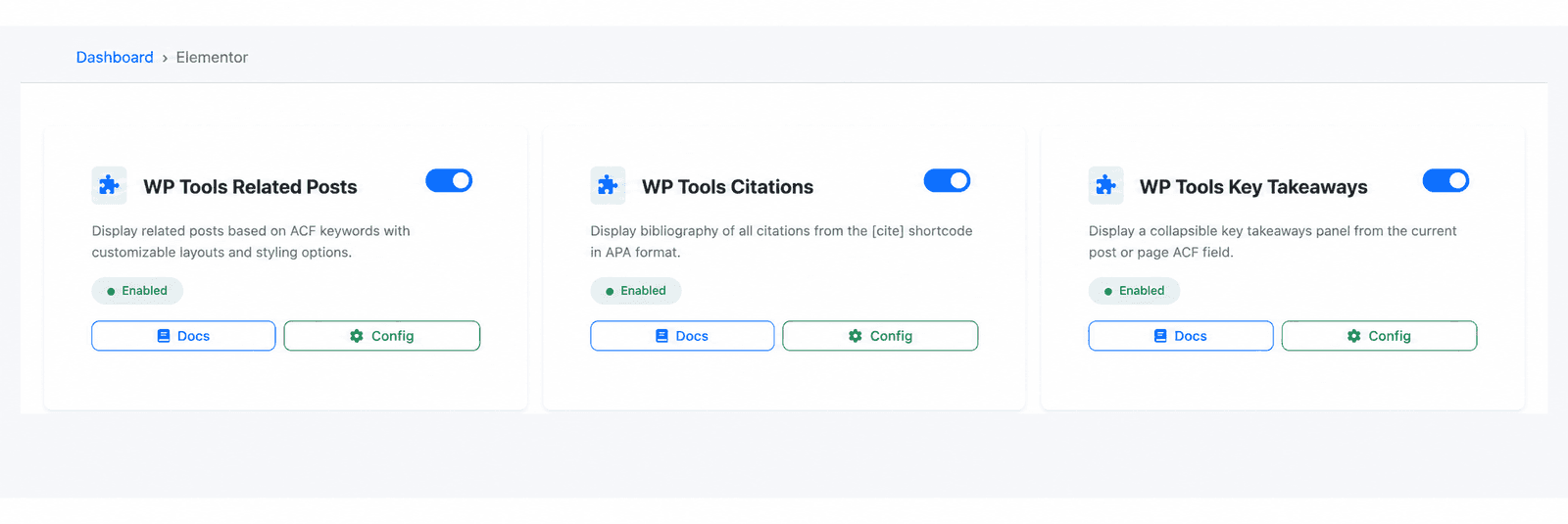
Elementor widget management screen showing enabled editorial components and their capabilities.
Reusable editorial components make related content, citations, key takeaways, and bylines configurable in Elementor.
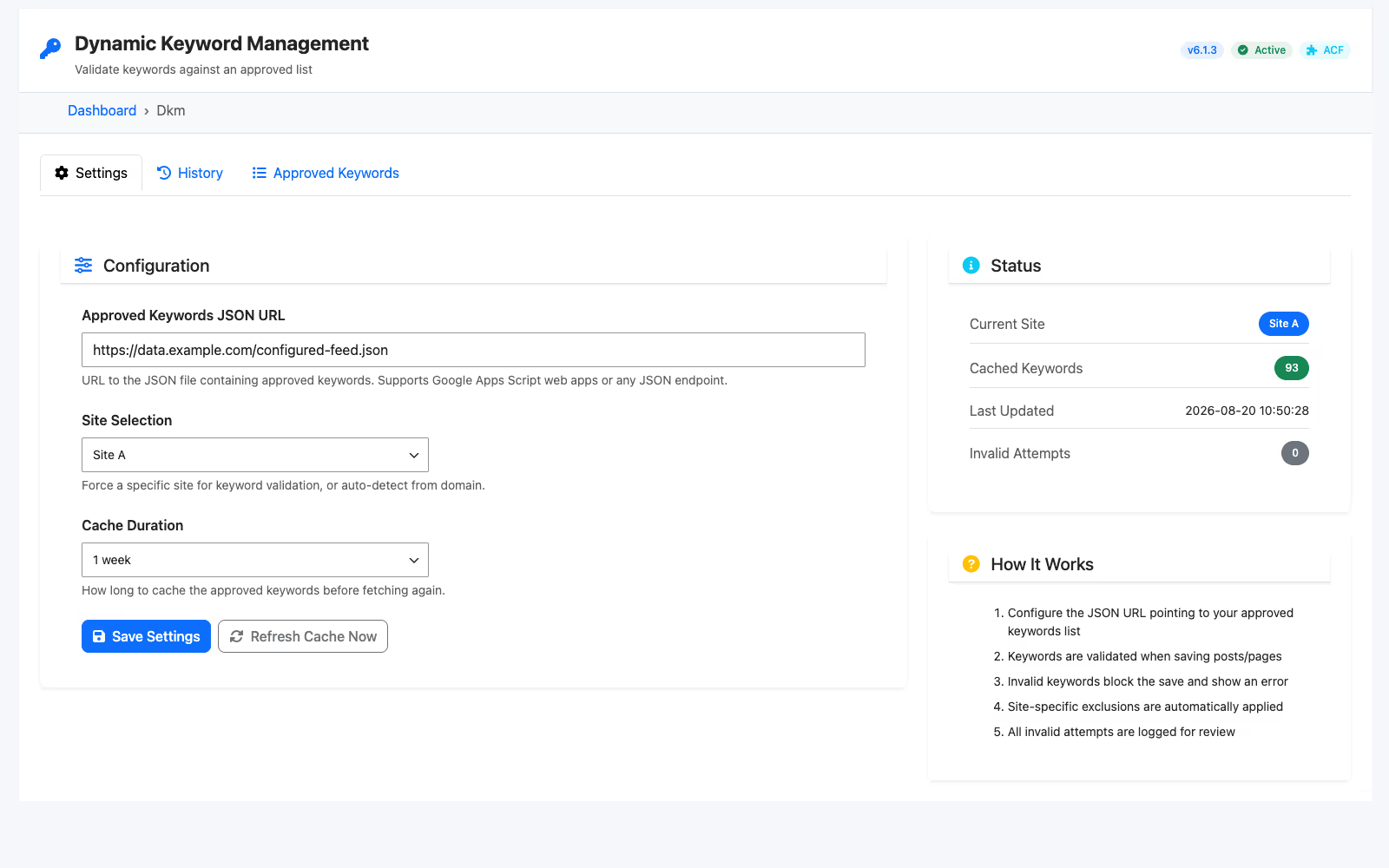
Keyword management screen with approved keyword counts, cache status, site context, and recent validation activity.
Dynamic Keyword Management gives editors a cached approved vocabulary with site-aware validation and an auditable history.
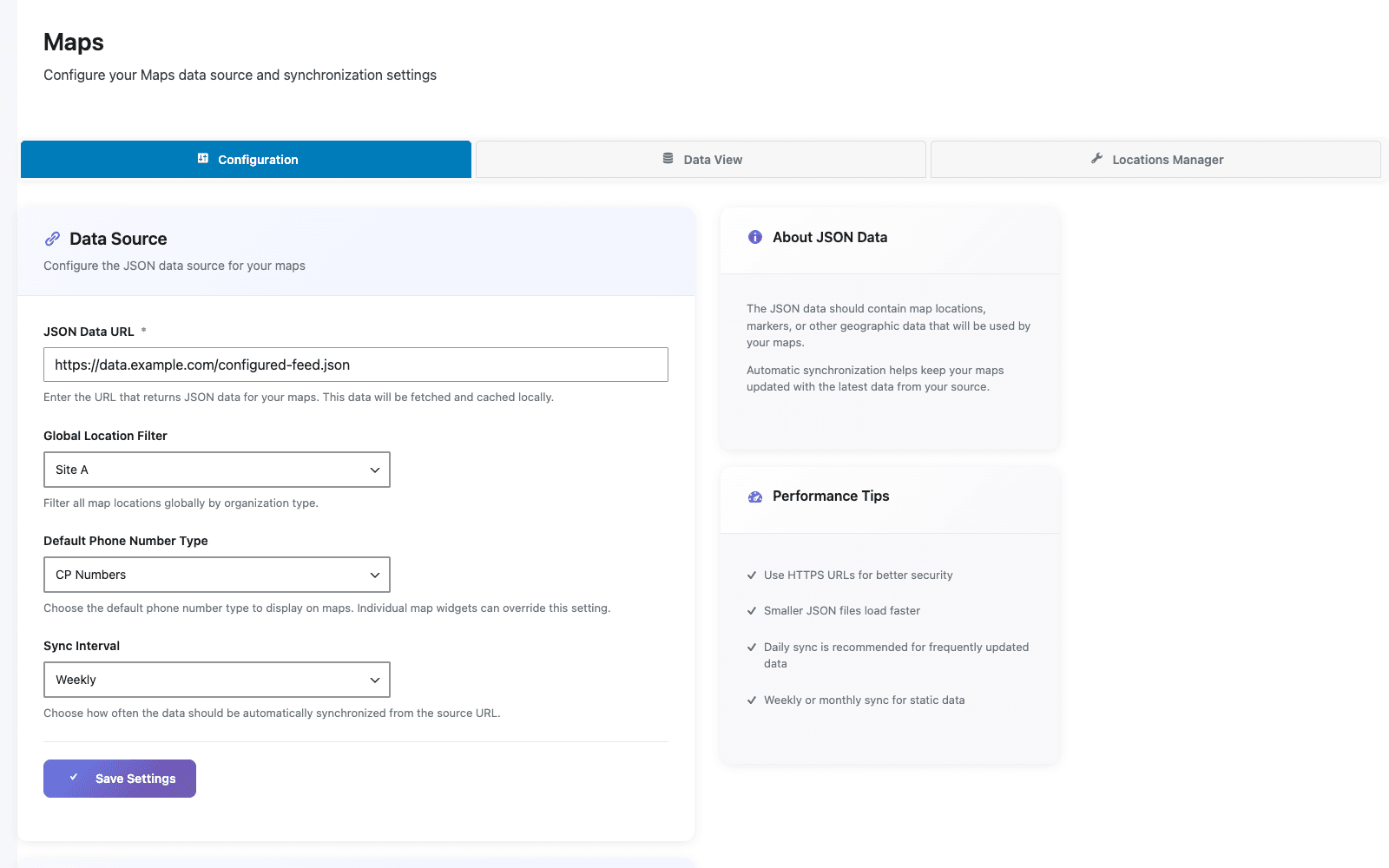
WP Tools map configuration screen with a redacted data source, Site A filter, phone number mode, and weekly synchronization.
The mapping module centralizes its data source, location scope, phone behavior, and synchronization cadence.
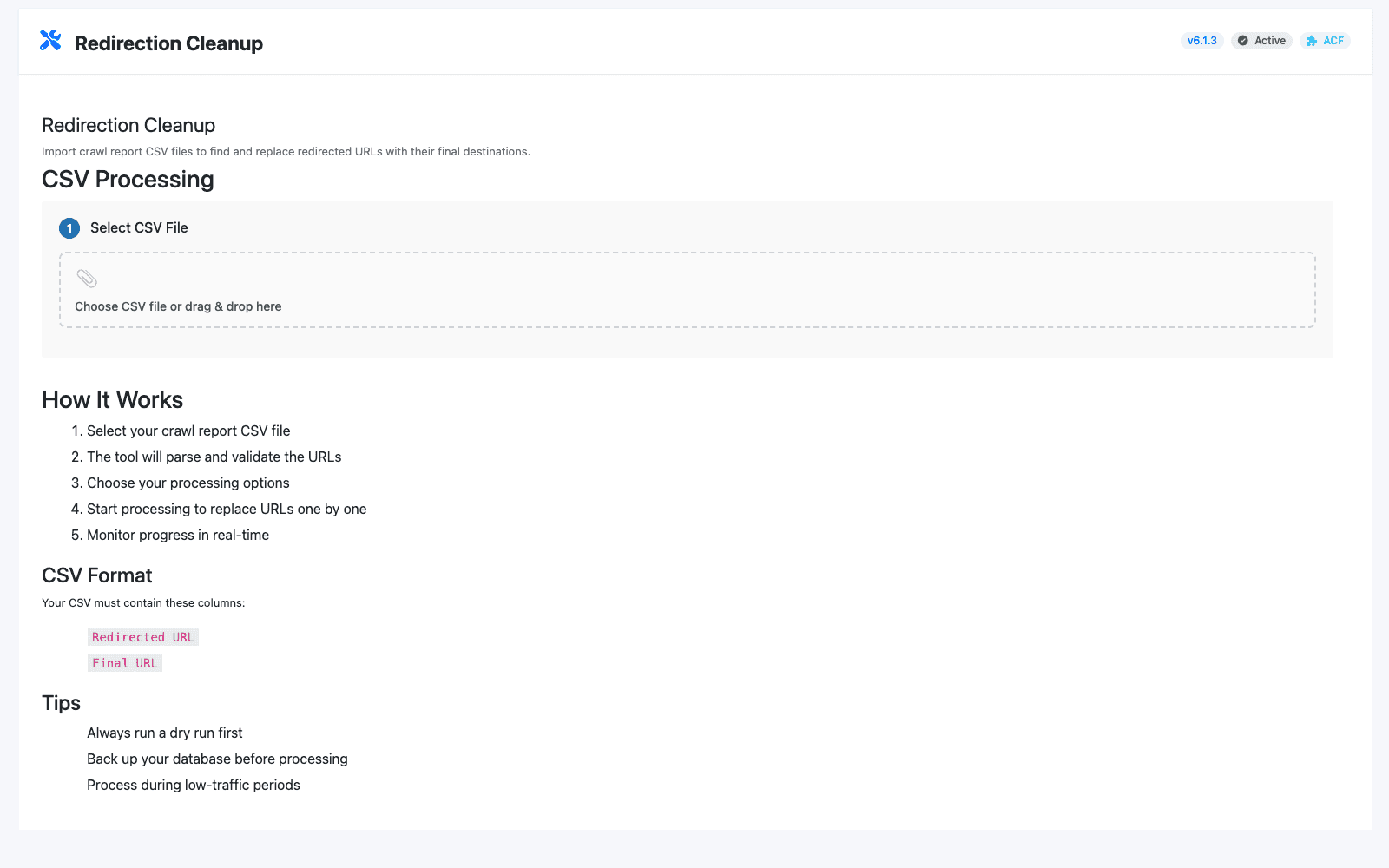
Redirection cleanup workflow with CSV upload, dry-run controls, progress metrics, and an activity log.
Dry-run-first redirect cleanup makes large URL migrations visible before changes reach WordPress content and metadata.

Latest Articles

From the Blog

View all articles
WP Tools — Plugin Project — Adzbyte